

Video & Photography · 2 min read
DIY Product Photos vs a Professional Shoot: When Each Makes Sense
Phone cameras are good, but they aren't always enough. Here's how to decide when to shoot yourself and when to bring in a team.
Read
Shoppers can't touch your product, so your photos do the selling. Here's the shot list, setup and image rules to follow for your website, marketplaces and Google Shopping.

Quick answer
Good e-commerce product photos start with a shot list: a clean main image on a plain white background showing only the product, then multiple angles, close-ups of details, scale, the product in use and what's in the box. Shoot with soft, even light and a consistent setup, at high resolution. Keep main images free of text, logos, watermarks and promotional overlays, which Google Merchant Center disapproves and marketplaces restrict. Edit for accurate colour, export in consistent sizes and compress for fast pages.
Good e-commerce product photography follows a shot list: one clean main image on a plain white background, then angles, close-ups, scale, the product in use and what's in the box, all shot with soft, consistent light at high resolution. Main images should show only the product, with no text, logos or watermarks, because marketplaces and Google Shopping restrict them.
Online shoppers can't pick up your product, so photos do the work of the shop counter. This checklist covers what to shoot, how to set up, and the image rules for your website, marketplaces and Google Shopping.
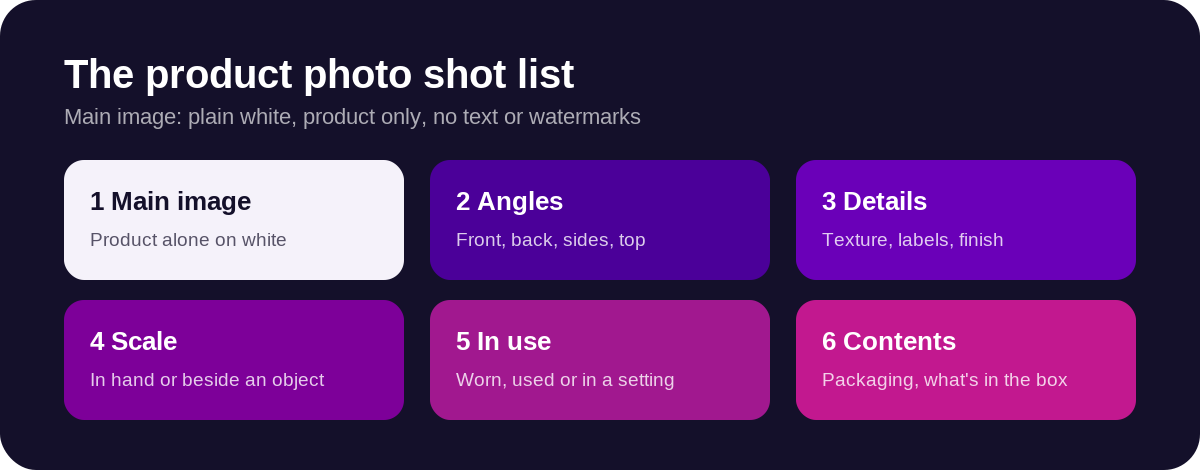
Plan these for every product before the shoot:
| Shot | What it shows | Why it matters |
|---|---|---|
| Main image | Product alone on plain white | Thumbnails, search results, Shopping ads |
| Angles | Front, back, sides, top | Removes doubt about shape and design |
| Details | Texture, stitching, ports, labels | Shows quality and answers questions |
| Scale | In a hand or next to a familiar object | Prevents "smaller than expected" returns |
| In use | Worn, used or placed in a real setting | Helps buyers picture owning it |
| Contents | Packaging and everything in the box | Sets expectations, reduces complaints |
Add variant shots for every colour or finish you sell, and an infographic (as a secondary image) for key features or dimensions where your platform allows.
Main images have the strictest rules:
Marketplace rules change and vary by category, so check the current requirements in Seller Central, Flipkart Seller Hub or your marketplace before a shoot.
cotton-kurta-blue-front.jpg) and write useful alt text.Don't edit in ways that misrepresent the product: buyers return items that don't match the photos.
Product photography sells when it's planned: a clean white-background main image, angles, details, scale, in-use and contents shots, consistent lighting and the right sizes for each platform. Keep main images free of text and watermarks, edit honestly and compress for speed.
Our product photography team shoots and edits catalogue and lifestyle images for websites and marketplaces. Deciding whether to shoot yourself? Read DIY vs professional product photography, and if you're launching a store, our Shopify setup checklist for India.
Enough to answer buyers' questions without touching the product: typically a main image plus several angles, close-ups, a scale or in-use shot and, where relevant, packaging or contents. Marketplaces set their own maximums.
A plain white main image keeps search results consistent and puts the focus on the product. Amazon requires a pure white background for main images; secondary images can show the product in use or in a setting.
Shoot at high resolution and export consistent square or uniform sizes. Google Merchant Center is moving to a 500×500 pixel minimum and recommends about 1500×1500 for best results. Check each marketplace's current requirements.
Not on the main image. Google Merchant Center disapproves main images with promotional text, watermarks or overlays, and marketplaces restrict them too. Use secondary images or your listing text for offers and features.
Yes, for many products, with soft daylight, a clean background, a tripod and careful editing. Products with reflective surfaces, fine detail or premium positioning usually benefit from a professional shoot.
Written by
Articles are written and reviewed by the Incinc Media team, the people who plan, design, build and market websites, apps and campaigns for businesses from our head office in Mumbai and our branch offices in Faridabad and Greater Noida. We write about the questions clients ask us every week.
Need product photos that sell?
We plan and shoot product photography for websites, marketplaces and ads, with consistent white-background and lifestyle images, edited and exported to each platform's rules.
Video & Photography · 2 min read
Phone cameras are good, but they aren't always enough. Here's how to decide when to shoot yourself and when to bring in a team.

eCommerce & Shopify · 6 min read
Setting up Shopify in India has a few steps that global guides skip: Shopify Payments isn't available, GST settings need manual review, and invoices need an app. Here's the full checklist, in order.

eCommerce & Shopify · 6 min read
The build is only part of an online store's cost. Payment fees, platform charges, apps, shipping tools and marketing decide whether the store makes money. Here's the full picture before you commit.
Start a project
Whether you need a digital product, a creative campaign or a complete digital transformation, let's build something meaningful together.
Or call +91 81081 14819·mail@incincmedia.com