
SEO & AI Search · 2 min read
Google Business Profile: A Checklist for Local Businesses in Mumbai
For many customers, your Google listing is the first thing they see. A complete, active profile makes it easier to be found and chosen.
Read
Posts let you show offers, news and events right on your Google listing, where local customers are already deciding. Here's what to post, how often, and what to avoid.
Quick answer
Google Business Profile posts are short updates, offers or events that appear on your listing in Google Search and Maps. Post regularly, for example weekly, with a clear photo, a short message and a button such as Call, Book or Learn more. Use updates for news and new work, offers for time-limited deals with dates, and events for workshops or launches. Google archives posts older than six months unless they have a date range, so keep them fresh. Posts mainly help customers who are already looking at your profile decide to contact you.
Google Business Profile posts are short updates, offers or events that appear on your listing in Google Search and Maps. Post regularly, such as weekly, with a real photo, a short message and one clear button like Call, Book or Learn more. They're one of the simplest ways to show customers that your business is active, right where they're deciding.
Here's what to post, how often, and what to avoid.
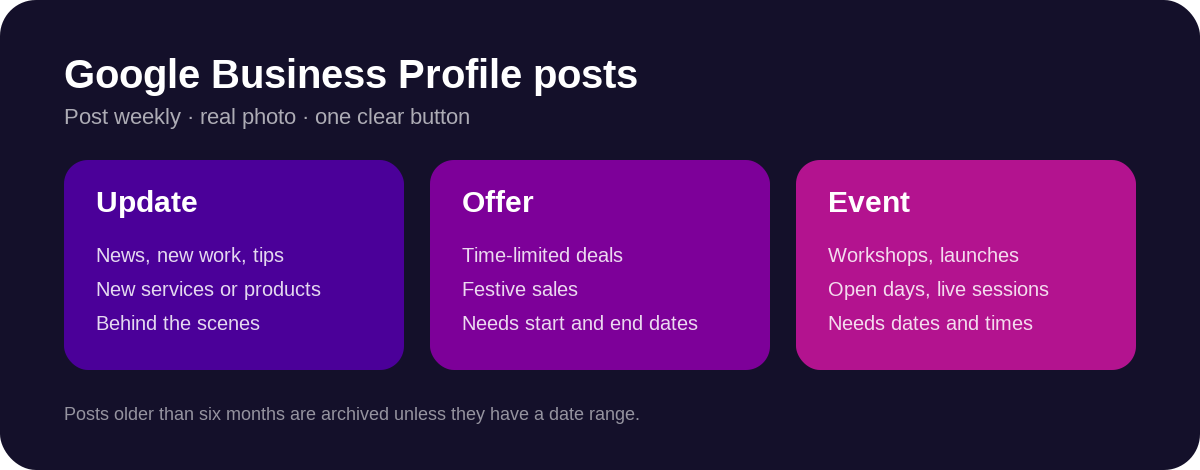
Google's help page on posts describes three types:
| Type | Use it for | Needs |
|---|---|---|
| Update | News, new work, tips, new services, team or behind-the-scenes | Text, ideally a photo or video |
| Offer | Time-limited deals, festive sales, first-visit discounts | A title and start and end dates |
| Event | Workshops, launches, open days, live sessions | A title and start and end dates and times |
Posts older than six months are archived unless they have a date range, so an old post doesn't stay on your profile forever.
Aim for a steady rhythm you can keep, such as once a week. A profile whose latest post is recent looks active and cared for. Plan posts alongside your social media calendar so one photo shoot or project feeds both.
Google says local results are based mainly on relevance, distance and prominence. Posts aren't listed as a ranking factor. What they do well is help people who are already looking at your profile decide to call, visit or book.
For visibility, focus on the fundamentals too:
Google Business Profile posts are a quick, free way to keep your listing active and give searchers a reason to choose you. Post weekly with real photos and one clear action, use offers and events for anything time-bound, and keep your core profile accurate and full of genuine reviews.
Our SEO team manages Google Business Profiles alongside website SEO. Start with our Google Business Profile checklist and the full local SEO guide.
Short updates you publish on your Business Profile that appear in Google Search and Maps. Google offers three types: updates, offers and events, each with text and optional photos or videos.
Regularly enough that your latest post is recent, for example once a week. Consistency matters more than volume, and each post should be genuinely useful.
Google archives posts older than six months unless they have a date range. Offers and events with dates follow their dates instead.
Google says local results are based mainly on relevance, distance and prominence. Posts aren't listed as a ranking factor, but they keep your profile current and help people who see it decide to call or visit.
Google's help page describes scheduling posts for later and setting repeating posts. Check the options in your profile, as features can vary.
Written by
Articles are written and reviewed by the Incinc Media team, the people who plan, design, build and market websites, apps and campaigns for businesses from our head office in Mumbai and our branch offices in Faridabad and Greater Noida. We write about the questions clients ask us every week.
Want your Google profile kept active?
We manage Google Business Profiles for local businesses: posts, photos, review replies and accurate information, alongside your website SEO.
SEO & AI Search · 2 min read
For many customers, your Google listing is the first thing they see. A complete, active profile makes it easier to be found and chosen.
SEO & AI Search · 4 min read
Reviews help customers choose you and help your local ranking. Here's how to get more of them consistently, and the shortcuts that can get your Business Profile restricted.
SEO & AI Search · 7 min read
When someone searches 'near me' in Mumbai, three to four businesses get the map spots and most of the calls. Here's how Google picks them, and a practical plan to become one of them.
Start a project
Whether you need a digital product, a creative campaign or a complete digital transformation, let's build something meaningful together.
Or call +91 81081 14819·mail@incincmedia.com